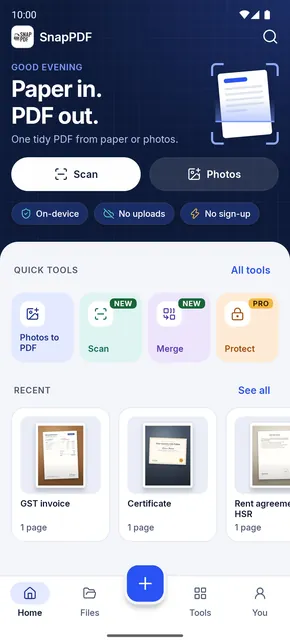
- Never uploadedPDFs are made on your phone, even offline.
- No sign-upNo account, no email, nothing to log in to.
- No watermarkYour PDF looks like your document. Nothing added.
- No adsFree, and nothing in your way.
Three steps. About thirty seconds.
Forms, notes, bills and ID copies still need to be PDFs. SnapPDF gets you there without a scanner or a computer.
- Step 1Scan or pickUse the camera, or photos you already have.
- Step 2Arrange and clean upDrag to reorder, crop, add a filter.
- Step 3Save and shareSee the size, then send it anywhere.
-
1
Scan or pick
Point the camera at a page, or choose photos you already have. JPG, PNG and more.
-
2
Arrange and clean up
Hold and drag to reorder. Crop, rotate and pick a filter for crisp, readable text.
-
3
Save and share
See the file size first, then share to WhatsApp, Gmail or Drive, or open it anywhere.
Everything a PDF needs. Nothing it doesn’t.
Built for the documents you actually deal with: neat, readable and small enough to send.
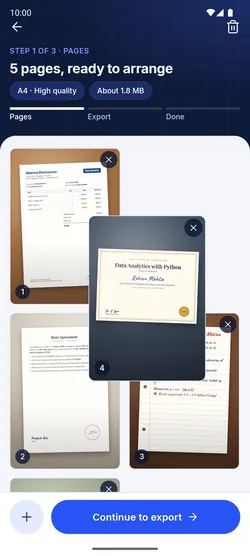
Every page in order
Hold and drag pages to rearrange them. Duplicate, rotate or remove a page, with Undo if you change your mind.
Filters for crisp text
Turn a shadowy phone photo into a clean page.
 OriginalEnhanceGreyB&W
Real A4 PDFs, right size
Choose the page size and quality, and see the file size before you create it.
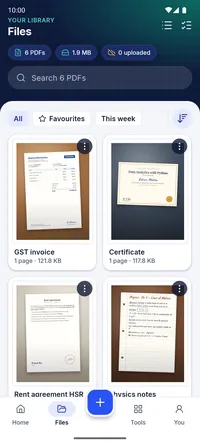
All your PDFs, one place
Page previews, search, sort and favourites.
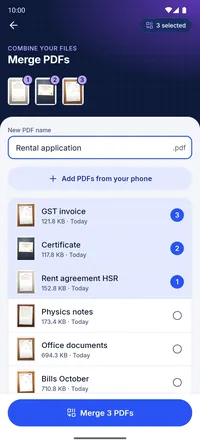
Merge PDFs
Combine files in any order: tap order is page order.
Nothing gets lost
Your draft saves itself. Step away, take a call, come back to every page where you left it.
Light and dark themes · Android 10 and newer
- Organise
Every page in order
Hold and drag to rearrange. Crop, rotate or duplicate.
- FiltersOriginalEnhanceGreyB&W
Crisp, readable text
Turn a shadowy photo into a clean page in one tap.
- Export
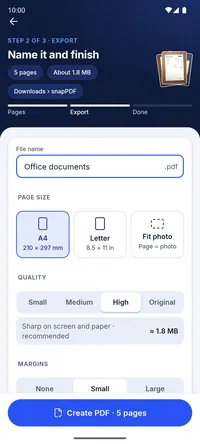
Real A4, right size
See the file size before you create the PDF.
- Files
All your PDFs, one place
Page previews, search, sort and favourites.
- Merge
Combine PDFs
Tap them in order. That’s the page order.
Your files stay on your phone.
There is no server doing the work. SnapPDF turns photos into PDFs right on your device.
- Never uploadedPhotos and PDFs stay in your gallery and in Downloads › snapPDF.
- No accountNo sign-up, no email address, nothing to log in to.
- Honest about analyticsWe count things like “PDF created” and collect crash reports. They never include your photos or what’s in your PDFs.
- No ads, no watermarkNothing is sold, nothing is stamped on your pages.
From class notes to rent agreements.
Applications, ID copies, assignments and office paperwork: if it’s on paper, it can be a PDF in your next WhatsApp message.
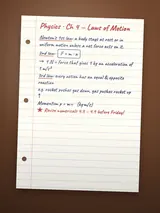
- Notes and assignmentsSubmit handwritten work as one PDF.
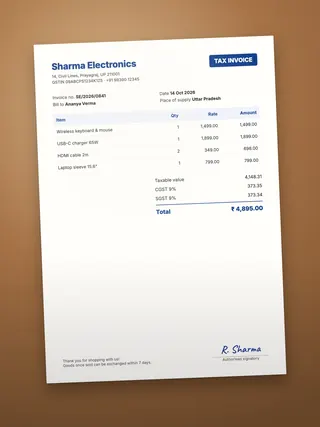
- GST invoices and billsClean copies for accounts and claims.
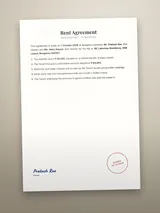
- Rent agreementsEvery page, in order, in one file.
- CertificatesReady for job and college forms.

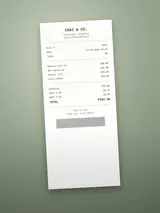
- ReceiptsExpense reports without the shoebox.
Ten seconds, start to finish.
Questions, answered.
Something else on your mind? We read every message.
support.eazylife@gmail.comIs SnapPDF free?
Yes. Scanning, making, merging and sharing PDFs is free, with no ads and no watermark.
Does it work without internet?
Yes. PDFs are made on your phone, so you can scan and create PDFs offline.
Are my documents uploaded anywhere?
No. Your photos and PDFs stay on your phone, in your gallery and in Downloads › snapPDF. We never see them.
How do I make a PDF smaller?
On the Export step, choose Small or Medium quality. SnapPDF shows the file size before you create the PDF, so you know it will fit an email or upload form.
Can I combine several PDFs?
Yes. Select the PDFs in Files and tap Merge. The order you tap them in is the page order.
Which phones does it work on?
Android 10 and newer. There is no iPhone version yet.
Do I need an account?
No. Open the app and start. There is nothing to sign up for.
Still stuck? Email support.eazylife@gmail.com
Your next PDF is one photo away.
Free on Google Play · Android 10 and newer

 Scan to install